Modern Screenshot Tool
for Windows
A lightweight, feature-rich screenshot application. Capture, annotate, and export screenshots with a beautiful glassmorphism UI.
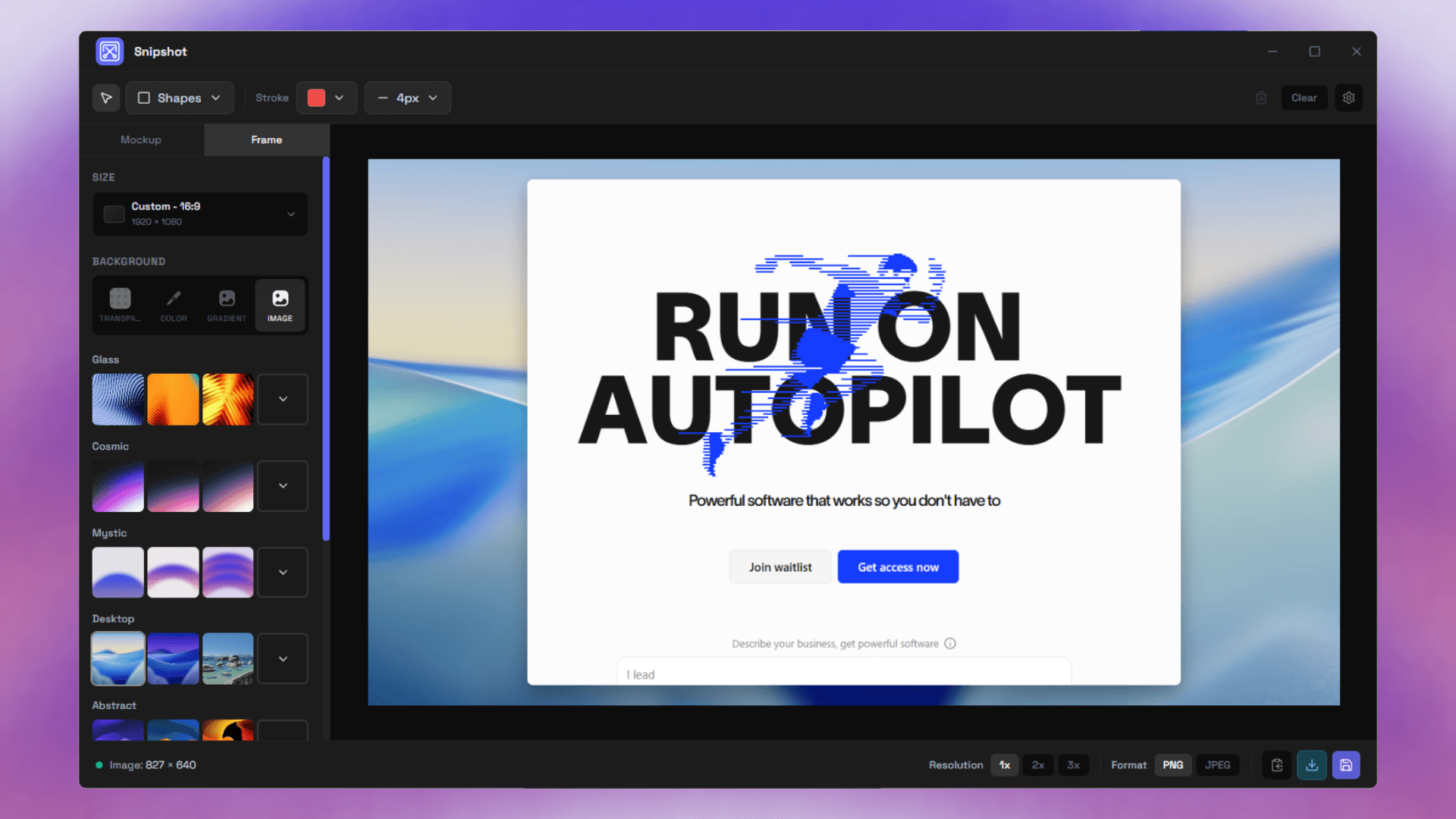
Everything You Need
Professional screenshot capture and annotation tools at your fingertips
Multiple Capture Modes
Fullscreen, region selection, window capture, and customizable hotkey triggers for any scenario.
Rich Annotation Tools
Shapes, arrows, text, and spotlight with full styling controls including opacity and colors.
Custom Shapes
Rectangles and ellipses with adjustable border radius, fill colors, and stroke widths.
Text Annotations
Rich text with multiple sizes, bold/italic formatting, and real-time editing support.
Background Options
Transparent, solid colors, 24+ gradient presets, or custom background images for perfect presentation.
Output Sizing
Custom dimensions, social media presets, and standard aspect ratios for any platform.
Arrows & Lines
Directional callouts with straight or curved styles, adjustable widths and colors.
Spotlight Tool
Highlight specific areas with dimmed backgrounds to draw attention exactly where you need it.
Multiple Export Formats
Export as PNG or JPEG with customizable quality and resolution settings for optimal file size.
Download Snipshot
Choose the version that works best for you. Both include all features.
Installer
~15 MB
Recommended for most users. Easy setup with automatic updates.
Portable
~10 MB
No installation required. Run directly from any folder.
Installation Instructions
- Installer: Run the installer and follow the on-screen instructions. Snipshot will be added to your Start Menu.
- Portable: Download and extract to any folder. Run snipshot.exe directly - no installation needed.
- Both versions require Windows 10 or later. No additional dependencies needed.